
Adding a source
How to get your site's calendar populated and looking great: finding sources, the quick start wizard, what to do when it can't read a site, and keeping feeds healthy.
How do I (the curator) get sources onto my calendar?
- Our goal is to make calendar generation automatic. We want to read sources of community events and get them onto your calendar with minimal or no intervention on your part, once configured. But to do that, we have to find the sources!
- You hopefully already know (or can do some research) to find out who puts on events in your area that you're interested in including.
- Once you have some momentum and a well-filled calendar, remaining sources will (hopefully) start asking you to include them. Thus, our initial goal is to get the calendar looking like a useful resource, to encourage additional sources to want to be included and to be cooperative in making their events accessible to Haunts, if they are not currently.
- Some sources may be initially difficult or impossible. Start with the easy ones.
Adding a source
Use the quick start wizard! With luck, it will identify the source for you. On the Sources tab, press Use our quick start wizard!, paste the address of the source's events page, and let it examine the site. It works out what kind of source it's looking at, shows you the events it found, and asks you to name the source before saving.
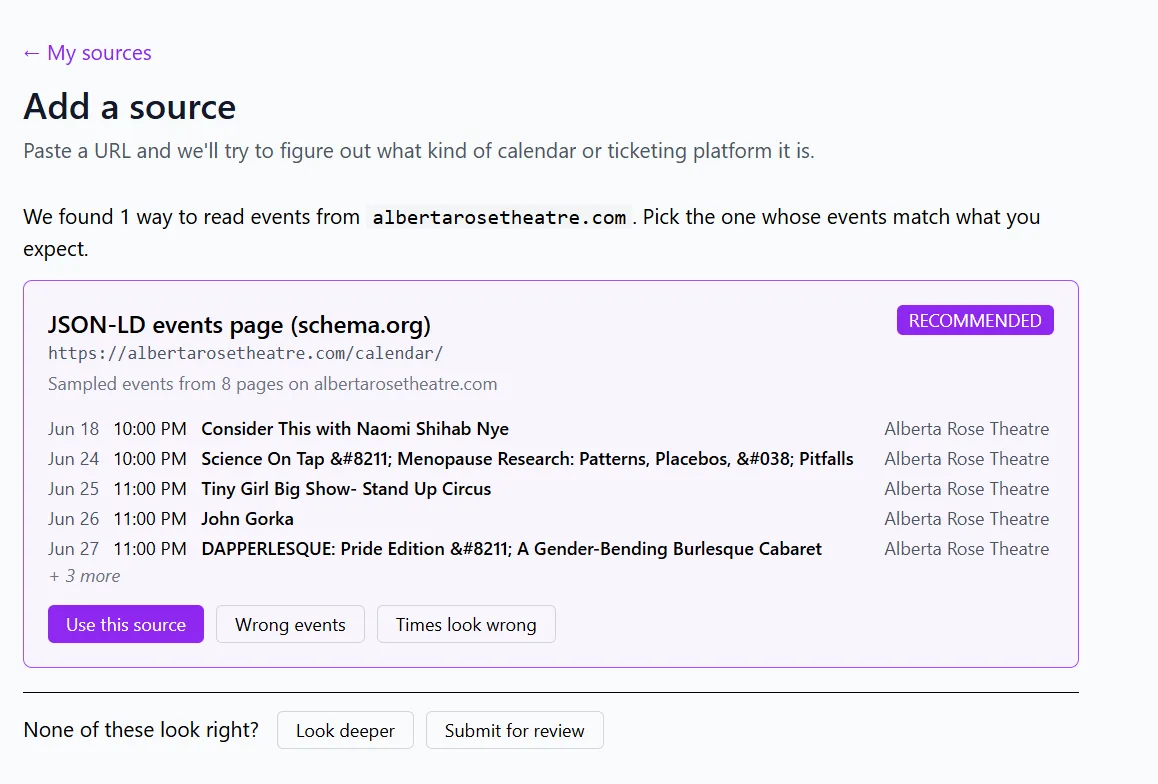
What if the wizard can't identify and configure my source?
- Sometimes, the human-visible calendar is not the best source (i.e. if a human built it by hand as unformatted, but pretty, text). If it's a high-value and high volume source, a little internet research to see where else their events appear may be worthwhile. Are the events also listed somewhere else? For example, are these events also in Ticketmaster, or a Meetup group, or Eventbrite?
- If it's a low volume source, is it worth just adding their events by hand? If a source has two events per year, maybe you just add them using the event submission form, or maybe you maintain a Google calendar where you add any events you want to add, and you add that Google calendar as a source. (Adding events to Google calendar may be faster than submitting them via the form.)
- Ask the source! It's possible that they actually do have a readable feed that just isn't obvious or we just haven't found. Or it's possible that whoever takes care of their website can turn on a readable feed with a couple clicks. Ask for an ICS feed.
- If someone is regularly submitting events via the form, consider some outreach. It would be faster for them and MUCH faster for you if they put their events on a calendar and shared that calendar link with you. [This assumes you don't want to pre-approve their events.]
- Sources that fail the wizard can be submitted for further investigation. My priority will be sources with many events (because a single annual event can just be added manually) and sources that are going to be generally useful (i.e. a common CMS/calendar system used by many organizations that will help many curators).
What happens after I add a source?
Changes are typically live in 2-10 minutes, depending on source type. Sources are checked for new and updated events once daily.
Feed health
Each source on the Sources tab carries a health mark: ✅ the last check succeeded, ⌛ it's waiting for its first check, ⚠️ the last check failed (hover for what went wrong). If a feed is persistently erroring and not getting new events, please hit pause on it and ask me to take a look. (A feed may occasionally error during one crawl and be fine the next, so maybe give it a few days to self-correct first.)
Geolocation filtering
Geolocation filtering is there in case you have a mixed-location feed. Having said that, if there's one item in 1000 that you want, maybe just add that item manually instead. It's useful for getting only the home games for your local sports team in the feed, but not appropriate for tracking a nationwide pub trivia organizer if you only want one bar's events.
Events showing the wrong time
⏰ If you are seeing events showing up with the wrong time (particularly if they're off by however many hours you are from UTC, in either direction), check your site's timezone under Site settings, and then also check the source of the wrong times (click the pencil) and explicitly set its time zone. [Some source types also have a Treat as UTC checkbox, for a source that is lying about being UTC, which you might need to turn on or off.]